Macbook laptops are capable of using multiple different layouts for their inbuilt keyboard.
If you need to change the layout of your Macbook’s keyboard, you can easily do so by changing your Macbook’s keyboard settings.
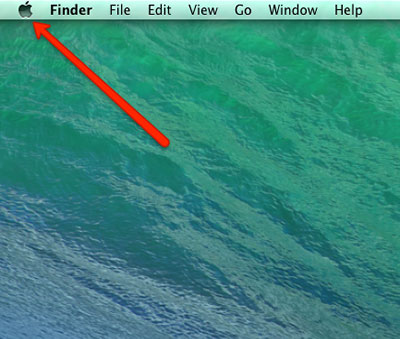
Step 1: Open the Macbook’s Main Menu
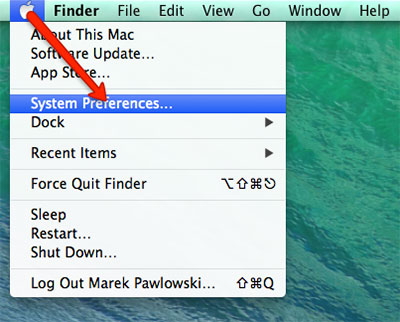
Step 2: Open the Macbook’s ‘System Preferences’ menu
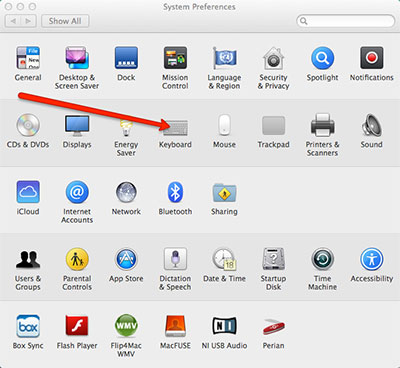
Step 3: Open the Macbook’s ‘Keyboard’ settings
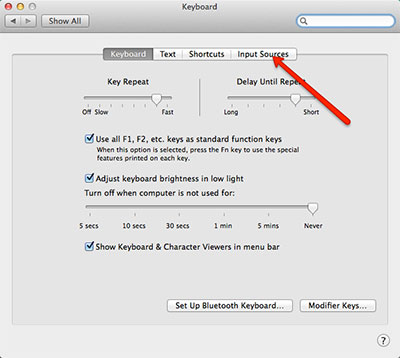
Step 4: Select ‘Input Sources’ from the available menu tabs.
Step 5: Select the ‘+’ icon to add a new keyboard layout
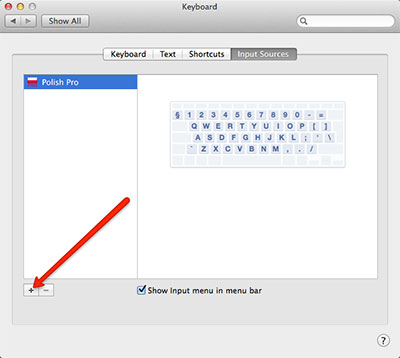
Step 6: Select the desired input language from the menu
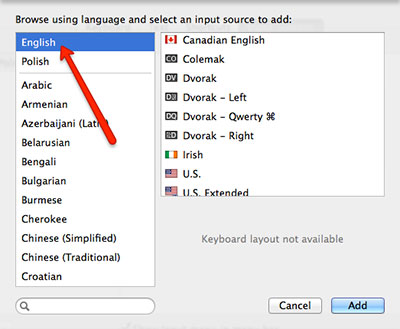
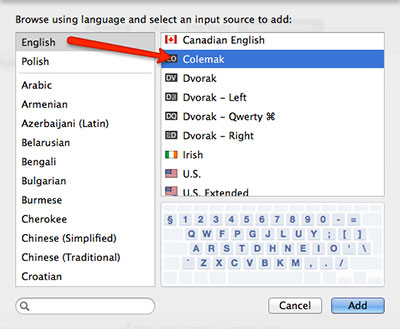
Step 7: Select the correct keyboard layout you would like to add. You can preview the layout by clicking the layout name and it will display the layout in the box underneath it
Step 8: Select ‘Add’
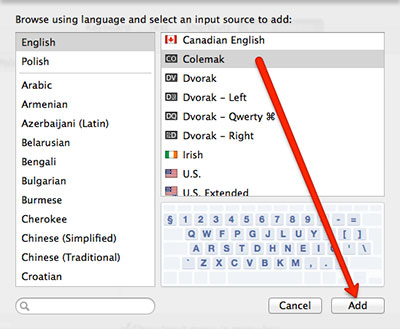
Step 9: Make sure that the keyboard layout you just added is highlighted. If it is not, click on it to highlight it
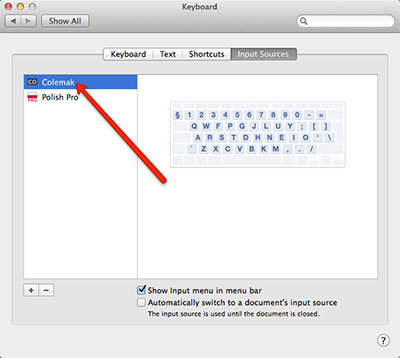
You can now close this window and you will be able to use the selected keyboard layout in all your Macbook apps.